



You'll get a confirmation by email and on your phone right after — has your order number and everything you bought. Hang on to that number, it's the fastest way for us to look up your order if something comes up.
Good questions.
Clear answers.
Orders, payments, delivery and everything in between. Find the detail you need.
78 questions
Popular questions
01How do I know the order went through okay?
02Can I cancel or change something after I've placed the order?
Ping us quick through Contact with the order number. If it hasn't gone out for packing yet, we can probably still fix it. Once it's already left with the courier, there's not a lot we can do, unfortunately.
03I typed the wrong address. Help?
Same as above — message us fast, give us the order number and the right address. Catch it before it ships and it's an easy fix.
04Can I cancel my order after placing it?
Yes, orders can usually be canceled before shipment. Contact our support team as soon as possible for cancellation requests.
05What can I actually pay with?
Whatever Razorpay supports — UPI, cards, net banking, most wallets too.
06Is it actually safe to pay here?
Yeah. Since the whole payment step happens on Razorpay's side, not ours, your card and banking details never sit on our servers.
07Can I review something I bought?
Sure, go to the product page and leave your rating and a couple lines. It's public, so skip anything personal like your number or address.
08How can I contact customer support?
Call +91 9638486879 or use the WhatsApp option on our Contact page. Please include your order number when asking about an order.
Shopping & products
09What can I shop for at The49Store?
Explore toys, RC cars, musical toys, vehicles and tracksets, Islamic essentials, prayer mats, gifts, and home and kitchen finds. The category menu shows the current collections and available product listings.
10How do I find a specific product?
Use the search box with a product name or a short phrase, such as crawling crab toy or prayer mat. You can also browse a collection from All categories and open a product for its full details.
11Where can I find the current product price?
The current selling price appears on each product card and product page. When a sale applies, the original and sale prices are displayed together. Review the price and final order total again at checkout.
12Does saving a product reserve its price or stock?
No. Favourites are a browsing list, not a reservation. Prices and availability can change. The current product listing and checkout show the information that applies when you place your order.
13Where are product specifications listed?
Open the product page and explore Description and At a glance. These sections contain the information available for that item. Contact the store before ordering if an important specification is missing or unclear.
14Are batteries or charging cables included with toys?
Inclusions vary by product. Check its description and specifications for battery type, charging details and package contents. Ask the store if the listing does not clearly state whether a battery or cable is included.
15How do I check a toy’s recommended age?
Read the product description and the manufacturer’s age marking and warnings. Select a toy suitable for the child’s age and abilities. Do not treat a supervision suggestion as permission to ignore a minimum-age warning.
16Can I choose a particular colour or design?
Select a colour or variation when the product offers that option. If no selection is offered, contact the store before ordering to confirm what is available. A product photo alone does not confirm a choice of variation.
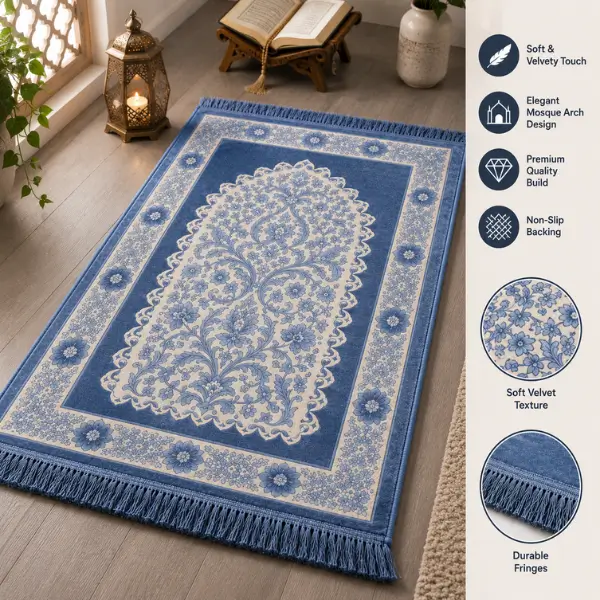
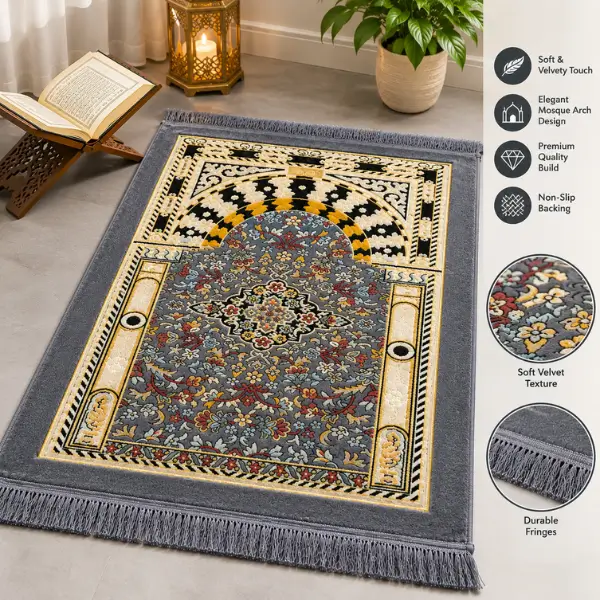
17What should I check before buying a prayer mat?
Review the listing for dimensions, material, padding and care information. Compare the stated size with your available space. If thickness, colour or another detail matters to your purchase, ask the store before ordering.
18Can I ask about a product before purchasing?
Yes. Use Ask us about this product or visit Contact us. Include the product name or link and the detail you need, such as size, package contents or compatibility, so the team can identify the item.
Bag & favourites
19What happens when I add a product to my bag?
For supported products, a side panel opens with the items in your WooCommerce bag. You can review quantities and the subtotal, continue browsing, or go directly to the native checkout page.
20Can I change quantity in the slide-out bag?
Yes. Use the plus and minus controls or enter a valid whole-number quantity. The bag updates the line amount and subtotal after the server accepts the change. Stock and product limits still apply.
21How do I remove an item from the side bag?
Use Remove beside the item. After the request succeeds, the item is removed from your bag and the subtotal is refreshed. Removing an item from the bag does not remove it from your favourites.
22Why can’t I increase an item’s quantity?
The product may have a stock limit, a purchase limit or a sold-individually restriction. Choose an available quantity. If the side panel cannot update an item, open the full bag or contact the store for help.
23Does the side bag show my final delivery charge?
The side bag shows your item subtotal. Shipping and applicable taxes are confirmed using your address at checkout. Check the complete order total before confirming payment.
24Can I go to checkout directly from the side panel?
Yes. Select Continue to checkout in the bag panel. It opens the store’s native WooCommerce checkout, where you enter delivery details, review shipping and complete payment using the available payment option.
25Where can I apply a coupon?
Open View bag & apply a coupon from the side panel, or use the coupon field if it is displayed at checkout. Enter a valid code and check that the discount appears before placing your order.
26How do I open my saved favourites?
Select the heart on a product to save it, then select Favourites in the header to open the side panel. The full wishlist page is also available if you prefer a larger view.
27Are favourites shared between my devices?
Favourites are stored in this browser on this device. Signing in does not automatically synchronise that list to another browser or phone. Clearing browser storage can also remove your saved list.
28How do I close a cart or favourites panel?
Use the close button, Continue browsing, the Escape key, or the shaded area outside the panel. You can reopen the panel from the header. Closing a panel does not empty the bag or favourites.
Delivery & tracking
29Where does The49Store deliver in India?
Delivery is available within India where the courier network can service your address. Enter your complete address and PIN code at checkout. Contact the store before ordering if you need help confirming serviceability.
30How are shipping charges calculated?
Applicable shipping charges are shown in the bag or checkout after enough address information is available. Charges can depend on your order and destination. Use the final checkout summary as the amount to review before payment.
31Is every order eligible for free shipping?
Do not assume shipping is free. Any applicable shipping charge is shown during the purchase flow. An order is eligible for free shipping only when the checkout or a valid offer explicitly shows that arrangement.
32How can I check my order’s delivery estimate?
Use any order-specific estimate provided during checkout or contact the store with your order number. Delivery timing depends on stock, destination and courier operations. A general estimate is not a guaranteed arrival date.
33Where is the Track Order page?
Use Track your order in the header or footer. Enter your order number and billing email on the tracking page. Keep both details consistent with the order confirmation.
34Why is tracking not available yet?
Tracking information may not be available immediately during order processing or courier handover. If you need an update, contact the store with your order number rather than placing another order for the same item.
35What should I do if my parcel is delayed?
Check the available tracking information and contact the store with your order number. Courier operations, holidays, weather or other disruptions can affect delivery. The team can help review the shipment-specific status.
36What if the courier cannot deliver my parcel?
Contact the store to discuss the delivery status and available next steps. Check your address, PIN code and phone number. Any new shipment or additional charge should be discussed before it is arranged.
37What information should my delivery address include?
Provide the recipient’s name, house or flat number, building or street, locality, city, state, PIN code and an accessible phone number. Add relevant address details in the available fields to help the courier locate you.
38Does a shipping badge guarantee a delivery date?
No. The Shiprocket badge identifies a shipping integration used by the store. It does not guarantee a particular courier, speed or delivery date for every order. Check the options and details provided for your shipment.
Payments
39Does The49Store offer Cash on Delivery?
The store currently accepts prepaid payments and does not offer Cash on Delivery. Review the payment option shown at checkout before placing your order.
40Can I pay using UPI?
UPI may be available through the Razorpay payment flow. The methods actually offered depend on the gateway and your transaction. Choose from the options displayed when you proceed to payment.
41Are card payments and net banking available?
Supported cards and net banking may be offered by Razorpay. Availability is shown in the payment flow and can vary. Review the displayed methods rather than assuming that every bank or card is supported.
42What should I do if payment fails?
Check the transaction status with your payment provider and review whether an order was created. Contact the store with your order number or payment reference if anything is unclear before attempting repeated payments.
43What if money is debited but payment looks unsuccessful?
Keep the transaction date, amount and payment reference. Check with your payment provider and contact the store so the order and payment status can be reviewed. Do not share a full card number, OTP or UPI PIN.
44Should I pay again if an order says payment pending?
First check the payment status and contact the store if the result is unclear. Repeating a payment before checking can make it harder to identify which transaction belongs to the order.
45Where can I see the complete payable amount?
Review the order summary at checkout. It includes the items and any applicable shipping, tax and discount information. Confirm that the total and delivery details are correct before authorising payment.
46Will customer support ask for my OTP or UPI PIN?
Do not give an OTP, UPI PIN, banking password or full card number to anyone through chat or a support message. Provide only the order and transaction references needed to investigate a payment issue.
47Is the Razorpay badge a product guarantee?
No. It identifies the payment gateway used for checkout. Product information, fulfilment and eligible return requests remain subject to the product listing and store policies.
48Where are approved payment refunds sent?
Approved refunds are returned through Razorpay to the original payment method, following the relevant return or cancellation policy. Bank and payment-provider processing can affect when the credit appears.
Returns & refunds
49How long do I have to request an eligible return?
Eligible return requests must be raised within 7 days of delivery, subject to the Return & Refund Policy. Check the full conditions and contact the store with your order number before sending anything back.
50How quickly should I report a damaged item?
Report a damaged or incorrect item within 48 hours of delivery. Share your order number and clear evidence, and keep the packaging. Follow the instructions in the Return & Refund Policy for the complete process.
51What evidence should I keep for a return request?
Keep the packaging and record an unboxing video or clear photos while opening the parcel. Include relevant item and parcel details with your order number when reporting a problem to the store.
52Can I send a product back without contacting the store?
Contact the store first and wait for the return instructions and confirmation. Sending an item to an unconfirmed address or without the required details can delay the review of your request.
53Does a 7-day return window mean every item is returnable?
No. The time window is only one condition. Item condition, category restrictions and other eligibility requirements in the Return & Refund Policy still apply. Read the policy for your specific situation.
54What should I do if I receive the wrong product?
Keep the item, parcel and packaging, and report the issue within 48 hours of delivery with your order number and clear photos or an unboxing video. The store will review the details and explain the next steps.
55How long does an approved refund take?
The stated refund processing window is 7 to 14 business days after confirmation. Your bank or payment provider can affect when the credit appears. Contact the store with the relevant references if you need help checking it.
56Are return shipping charges always free?
Do not assume return shipping is free. Check the Return & Refund Policy and the instructions given for your accepted request. Ask the store to confirm any applicable collection or shipping charges before proceeding.
57Can I cancel an order after it has been dispatched?
Once the parcel is handed to the courier, cancellation or address changes may no longer be possible. Contact the store for help. An item received after dispatch is subject to the return policy if you request a return.
58How will I know whether my cancellation was accepted?
Wait for confirmation from the store. Sending a cancellation request does not itself cancel an order. Acceptance depends on the processing status; contact the team as soon as possible with the order number.
Account & privacy
59Where can I sign in to my account?
Open My account to use the native account login form. Enter the username or email and password associated with your account. If you cannot access it, use the password-reset option on that page.
60How do I create a store account?
Open My account and use the Register form. Follow the account fields and instructions displayed there. Use an email address you can access, and check any account setup message associated with your registration.
61Can I shop without creating an account?
Guest checkout is available when offered by the checkout settings. Use the checkout form shown for your order. Creating an account can help you manage order history and saved delivery addresses for future purchases.
62How do I reset a forgotten password?
Use Lost your password? on the account login form and submit the email or username linked to the account. Follow the reset instructions. Check your spam folder if the message does not arrive, then contact the store if needed.
63Where can I view orders placed with my account?
Sign in and open Orders in the account area. Orders associated with that account can appear there. For a guest order, use Track your order with the order number and billing email or contact the store.
64Can I update my saved address?
Sign in and open Addresses in your account. Updating a saved address affects the account information used for future purchases; it does not automatically change the delivery details of an order already placed.
65How do I change my account password or details?
Use Account details after signing in and follow the native form requirements. Keep access to the email address associated with the account, and use a strong password that you do not reuse elsewhere.
66Can I request information about my personal data?
Read the Privacy Policy for information about the data processed by the store and contact the team with a privacy request. The store may need to verify the request before responding or making changes.
67What happens if I clear browser storage?
Clearing browser storage can remove this browser’s saved favourites and other local preferences. Your account and completed orders are separate from the favourites list, but you may need to sign in again.
68How do I sign out safely on a shared device?
Use Logout in your account area when finished. Avoid saving your password on a shared device. Clear any sensitive information you entered and close the session according to the device’s normal privacy options.
Help & product care
69How do I choose between RC cars and trackset toys?
Compare the listed age guidance, controls, dimensions, power requirements and play space. RC cars and tracksets offer different play experiences. Ask about compatibility and included pieces before ordering if the listing leaves any uncertainty.
70Can I use any charger with a rechargeable toy?
Follow the manufacturer’s charging instructions and use the specified compatible power source and cable. Do not guess the voltage or charging method. Contact the store if the listing or included instructions are unclear.
71How should I clean a musical or electronic toy?
Follow the product’s care instructions. Keep electronics away from water unless the manufacturer explicitly describes the item as water-safe. Disconnect power before cleaning and avoid using a toy with damaged electrical parts.
72Is every toy suitable for babies?
No. Toys have different age limits and safety requirements. Check the manufacturer’s label, small-parts warnings and the product listing. Choose an age-appropriate item and follow the stated supervision guidance.
73How do I check whether an RC toy includes a remote?
Read the package contents and product description. A remote shown in one image is not a substitute for clear inclusion details. Contact the store before buying if the listing does not confirm what comes in the package.
74Can I wash every prayer mat in a washing machine?
Care requirements depend on the material, backing and padding. Follow the care label or manufacturer’s instructions. If washing guidance is not supplied on the listing, ask the store before using a washing machine.
75How do I check what is included in an Islamic gift set?
Open the specific gift-set listing and review the description, photos and package contents. Sets can differ. Confirm any important item, colour or packaging detail with the store before placing an order.
76What details should I send when reporting a product issue?
Include your order number, product name, a clear description of the issue and relevant photos or an unboxing video. Avoid posting private contact or payment details in a public product review.
77Can I publish a product review without sharing private details?
Yes. Keep feedback focused on the product and your experience. Do not include your address, phone number, order credentials or payment information. Reviews follow the store’s review settings and moderation process.
78Where can I find all store policies together?
Open All store policies in the footer to find privacy, shipping, payment, cancellation, returns, cookies and terms information. The FAQ helps with common questions; consult the relevant policy for the full conditions.